
Dear Laurel,
I’ve been following your blog since about 2018. I don’t remember how I found you, but I began reading every post, and it didn’t take long before I was hooked.
You’ve done something I haven’t found anywhere else; you make decorating accessible.
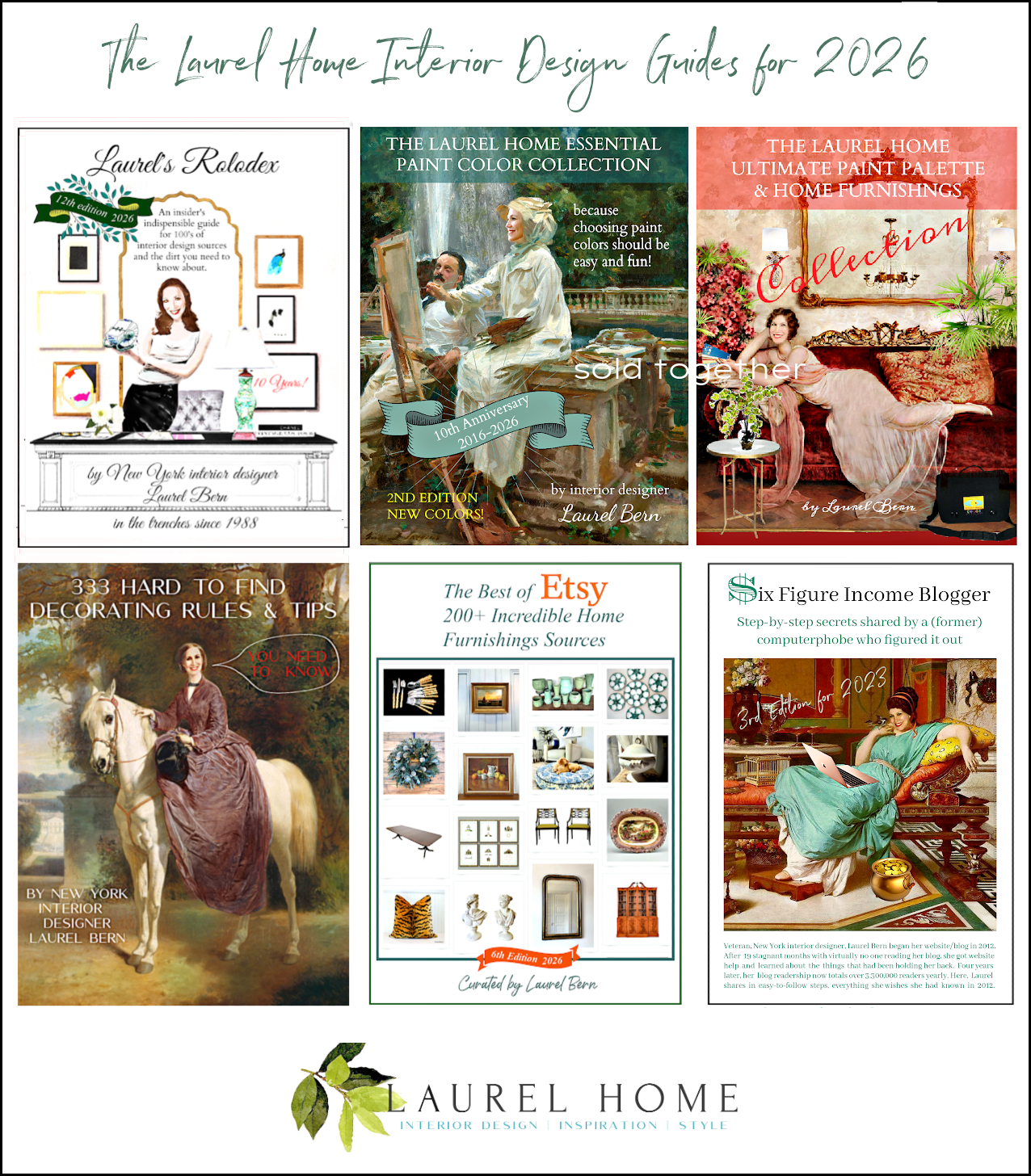
By the way, I’ve bought all of your digital guides, and I have to tell you, I took a 15-week interior design course at my local college.
The course with materials costs nearly two grand. What a waste of time and money. I learned about 100 times more from your five guides for roughly a quarter of the price.
Okay, I know you’ve gone over this too many times to count, the part about needing a cohesive plan– a blueprint of sorts before we begin our projects.
It’s clear why that’s important, but how is a non-pro suppose to create something reflective of the proposed plan?
I’ve messed around on Picmonkey using the graph paper and geometric shapes that represent the footprint of the furniture. That’s been very helpful for space planning, but it doesn’t do much for getting a better idea of how items will look together.
I’ve also tried the Laurel method of putting individual pieces together on a virtual board, but I don’t think they ever look as good as yours.
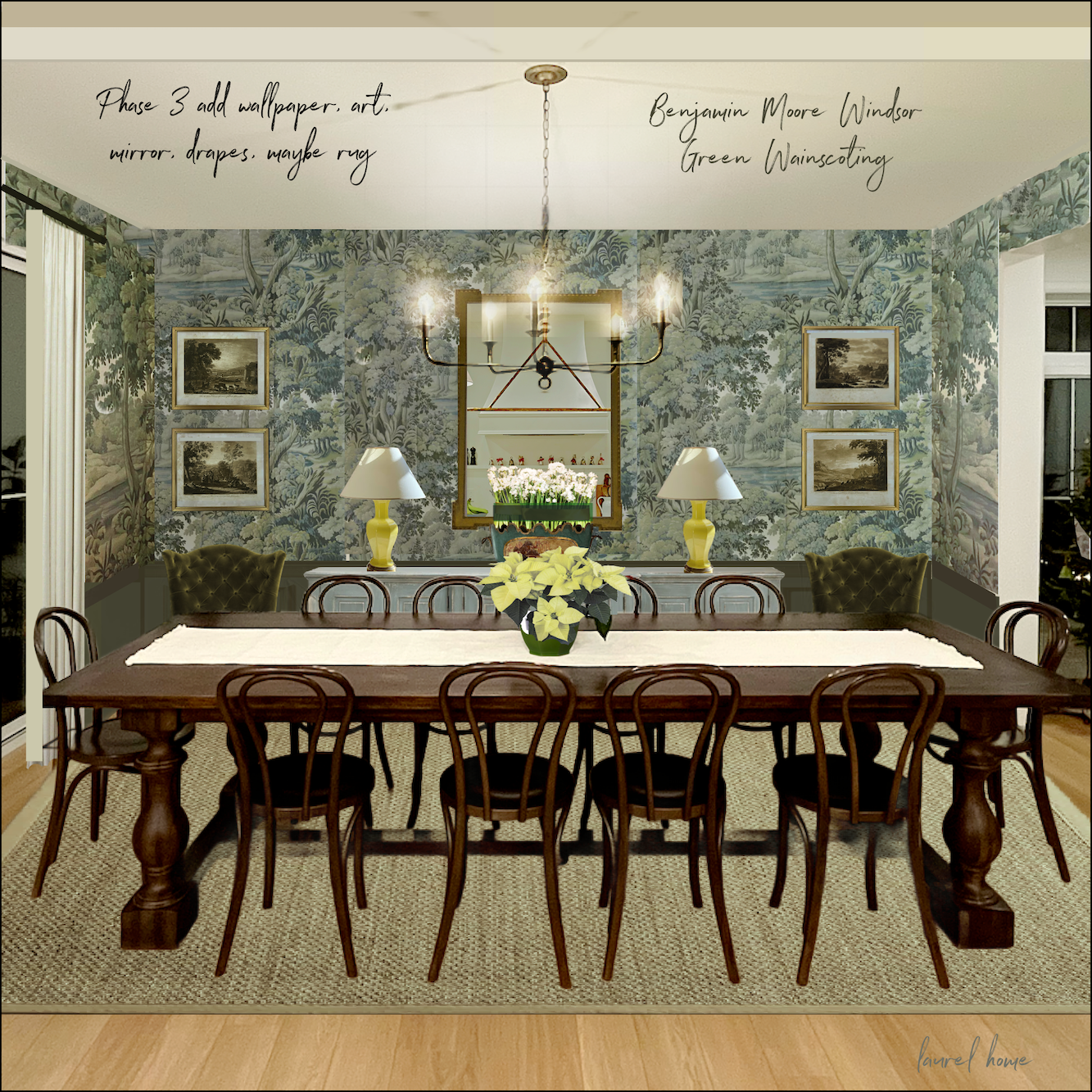
Like the one you did recently. How on earth did you get the chandelier to look like it’s really glowing?
Finally, I was looking at Serena & Lily because of their wonderful early spring sale, and I saw that they have a room planner.
I tried to use it and didn’t get too far. Have you seen it? Maybe there’s something easier to use?
I hope you can provide some guidance here!
xo,
Lerena Sillee
***
Hi Everyone! Happy Valentine’s Day!
Lerena (rhymes with Serena) is a fictitious character, but based on many of you! She has some terrific questions.
First of all, yes, creating floor plans, elevations, and mood boards, while not essential for creating a beautiful room, is all exceedingly helpful. This is true, especially if you’re not strong on visualizing or don’t have a lot of experience decorating.
However, do you need an art or graphic design background to use a room planner?
Well, it would be helpful if you did. But I don’t have an art or graphic design background.
So, how did I learn to do what I do?
I gained a lot of confidence in design school and learned VERY fast because I had no choice.
Still, I did learn the basics of perspective drawing, and we did dozens of floor plans and elevations. (You can see my interior design portfolio here, which is only about two-thirds of the major projects I did.
Creating furniture layouts isn’t difficult in terms of putting it down on paper or virtually. After a while, one learns that most furniture is within certain parameters. That is what the 333 Interior Design Rules & Tips guide is about.
As for mood boards, I will never forget back in 2010, I was at a client’s home, and she whipped out her tablet and showed me the mood board she made.
I was incredibly impressed and soon found a way to make my own mood boards.
Back then, there were some simple programs to make them. I found that when I put down the furnishings in one place, my clients made decisions far more quickly.
However, I needed more control and options when creating the boards. That is when Eileen Lonergan, my late mentor, told me in 2014 about Picmonkey. I immediately opened up an account and began teaching myself. I have always found the program to be quite intuitive.
Below is an early graphic I made. Many of you will remember it.


Early efforts above and below in 2015.

I also did stuff like this. (above) I was listening to my voicemail and discovered that my client’s coffee table came in damaged for the SECOND TIME!
(That post gets my vote for THE most lame blog post ever, or at least in the bottom ten. haha)
By 2018, when I created the gem below for the whistle blowing houzz post, I had gotten pretty proficient at head swapping. ;]

I don’t know about you, but I think I look pretty hot here.
😂 😂 😂
In 2019, I created a Picmonkey tutorial in this post that is a bit out-of-date because their interface has changed. And the monkey no longer winks. haha Shame, I miss that! However, it conveys the basic principles of layering images onto a virtual board.
I just updated one crucial thing because it’s easy to remove backgrounds in Picmonkey these days. It wasn’t in 2019.
If there’s enough interest, I’ll be happy to update the entire Picmonkey tutorial post.
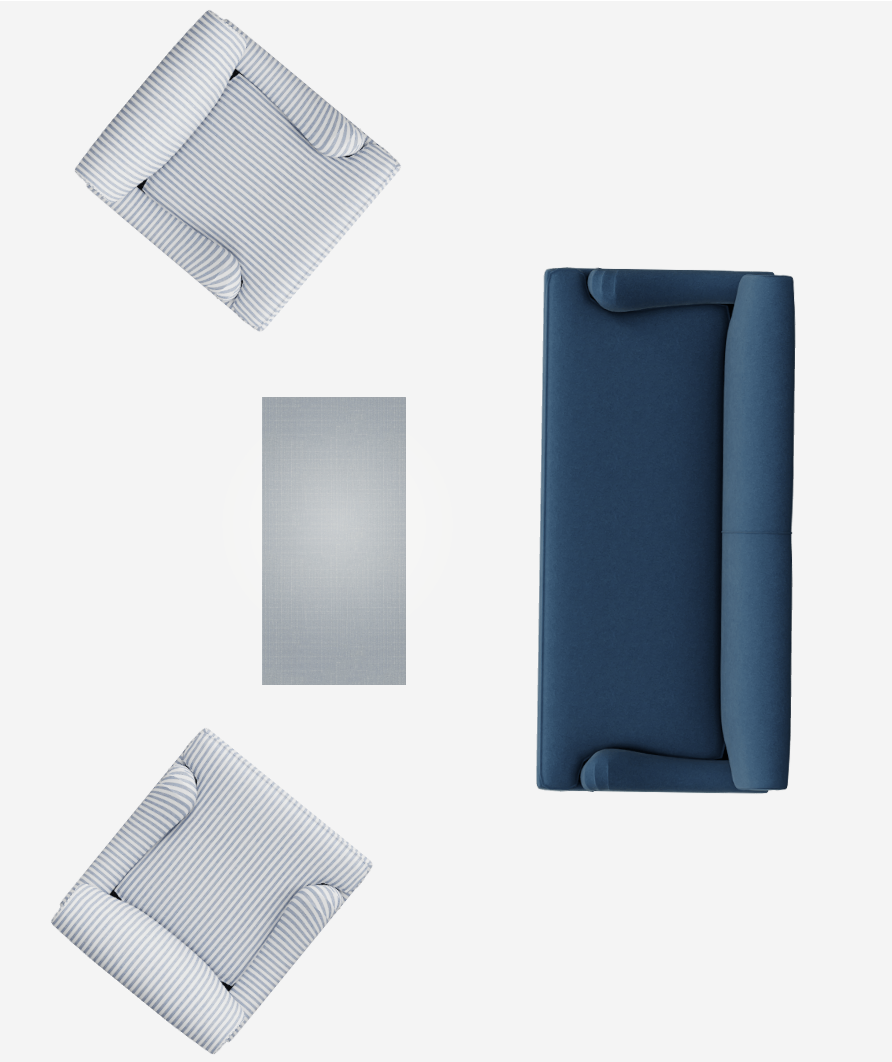
In the meantime, I tried the Serena & Lily room planner. (See it below and see the room planner by clicking this link.)
It’s pretty intuitive, but a bit clunky and has a lot of limitations.
For instance, I couldn’t make the round bay in my living room.
Below, took me about 45 minutes to make.
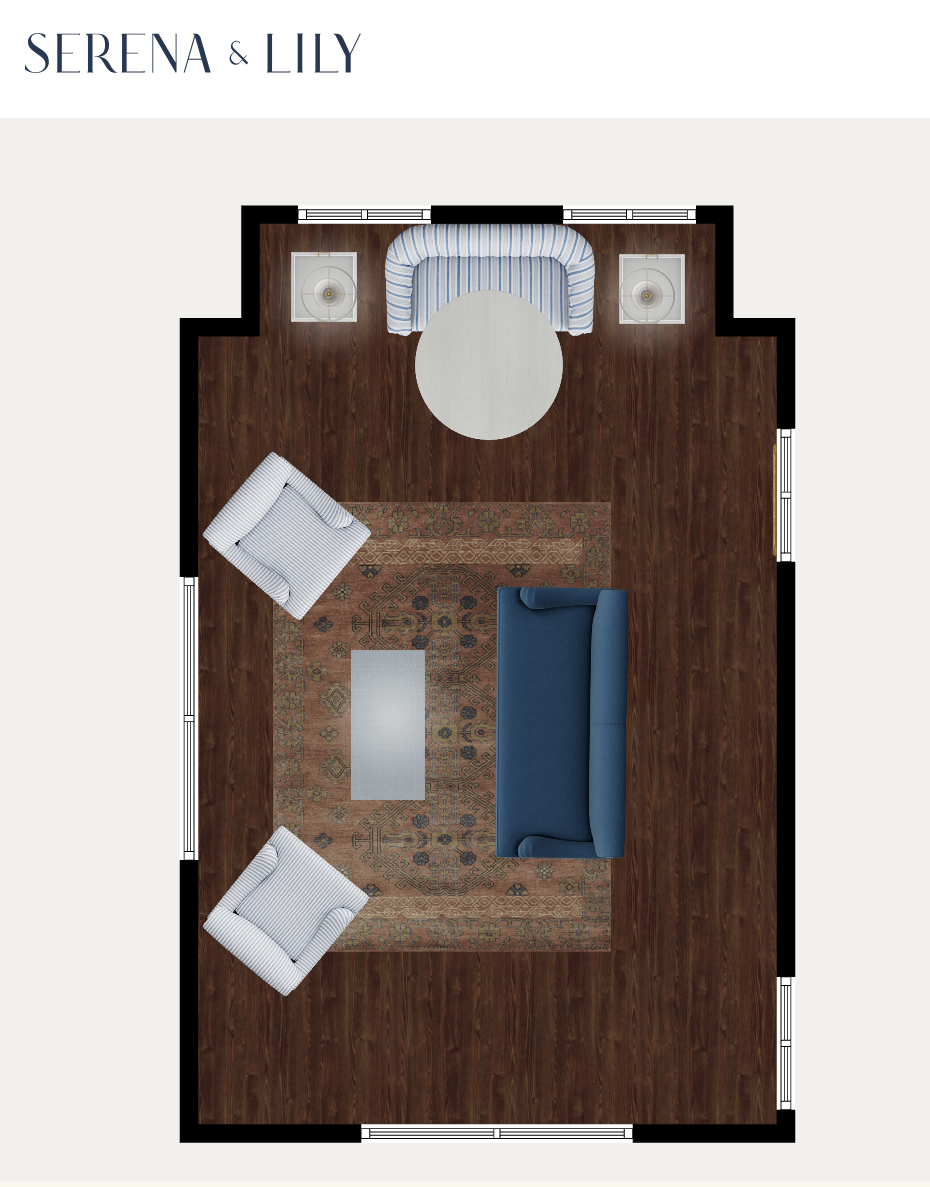
It’s not bad. Of course, it’s only using furnishings sold at Serena & Lily. As “Lerena” pointed out, S&L is having a fantastic sale right now. Up to 25% off!
I know it’s not a totally fair comparison, but I still think it’s a lot easier to use Picmonkey as a room planner because:
- You can use graph paper for scale purposes to get the scale perfect.

- And you can use your own images. Any image. Plus, you can create special effects.
I made all of my book covers, gifs and relocated heads via Picmonkey.


At the beginning of the pandemic.
What you could do, however, is if you’d like to see a sofa or chair shape that looks like a sofa or chair, you could make those with the Serena & Lily room planner and then cut and paste them onto your board. You could even keep a library of furniture in a folder on your desktop.
Do you have to pay for Picmonkey, Laurel?
I had to check that. I have the pro version, which is $130 a year, including tax. I believe there’s a free version or at least a lower-cost version.
My question for you guys is this:
Do any of you who aren’t graphic designers know of a simple program for creating floor plans? Ideally, you should be able to use your own images if you’d like to add a rug, for example.
I don’t know of any that are easy that have that same kind of flexibility. I’ve enjoyed using Picmonkey.
To show you, I just did my living room floor plan in Picmonkey. This entire thing took maybe 90 minutes. However, I put a lot of detail in.
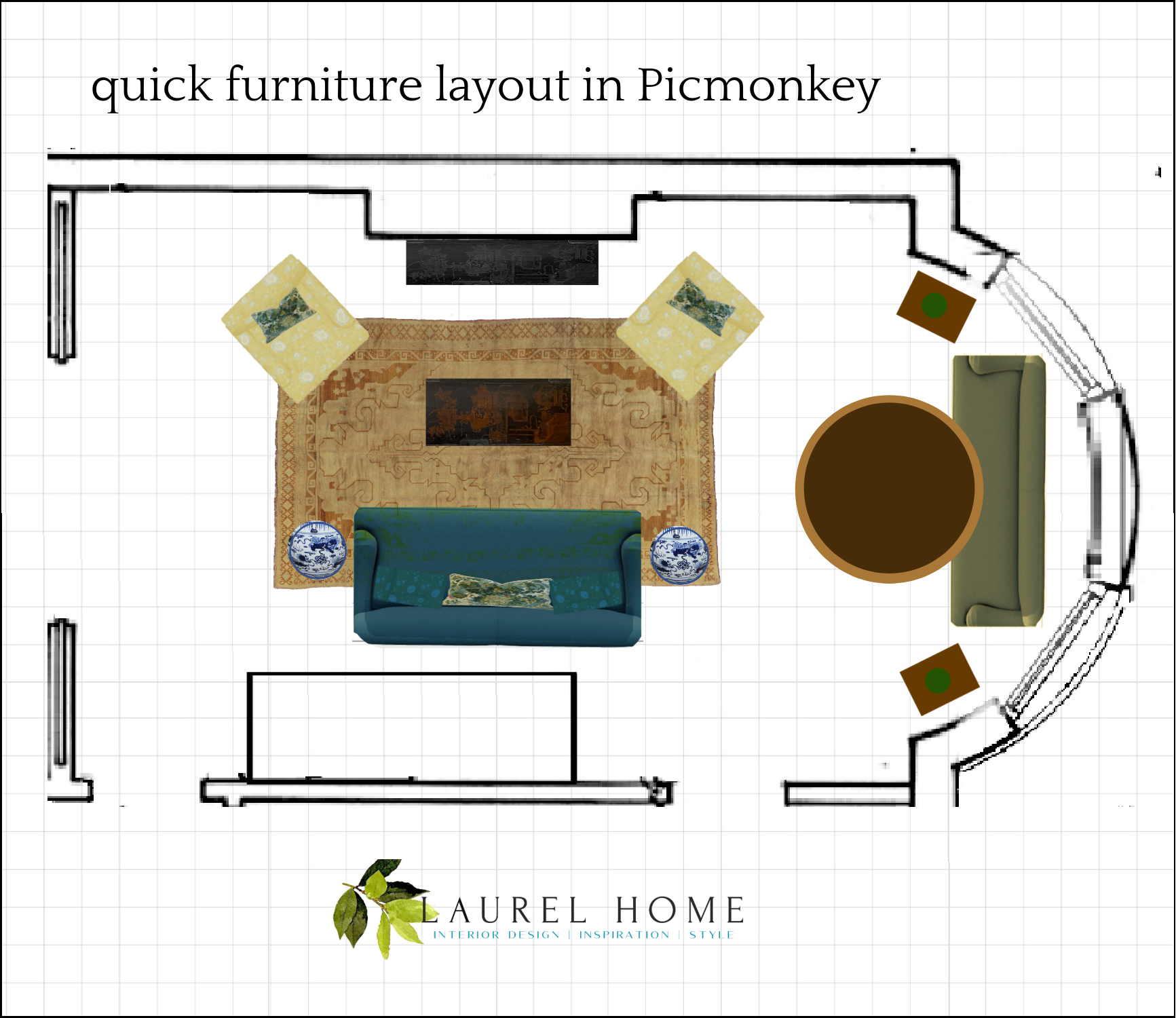
The yellow chairs were achieved by resizing and tweaking the colors from one of the Serena & Lily fabrics. The grid is essential to get the scale perfect. I keep mine in a “hub folder” on Picmonkey. The logo is there, too.
While creating this, I pretended for a time that I was doing a tutorial.
It would be a relatively healthy way to put y’all to sleep if you don’t die of boredom first. ;]
I would need some sort of a stand for my phone, and it would also require a lot of editing because no one will sit around for 90 minutes to learn this. The time it takes isn’t learning time. It’s fiddling time. And a lot of ummms and oops, and hang on…
Like I said… However, I can continue with a more in-depth tutorial, and I would do my best to make it fun to watch. But I need at least a dozen of you to say you’d like to see that. Or, I could also just revise the old Picmonkey post.
Please let me know.
xo,

***Please check out the recently updated HOT SALES
There was a Presidents’ Day edit for this long weekend, with some of my favorite sales happening right now. Please check out all of the boards to see many of my favorite Serena & Lily furnishings. Also, there are some new sales!
Also, if you’re doing some shopping on Amazon, please click this Amazon affiliate link or the graphic below.

Thank you so much!
I very much appreciate your help and support!
Related Posts
 The Number One Lighting Mistake Folks Make
 The Open Concept Bathroom – Holy Crap Is Right!
 Where Are The Non-Sucky Bi-Fold Doors?
 Galley Kitchen Design – A Blessing or a Curse?
 The Little Known Reason That Mother’s Day Kind of Sucks
 The Ugly Side of Boston – The Tragedy of the West End
 Christmas Decorating – How Do You Do It?